


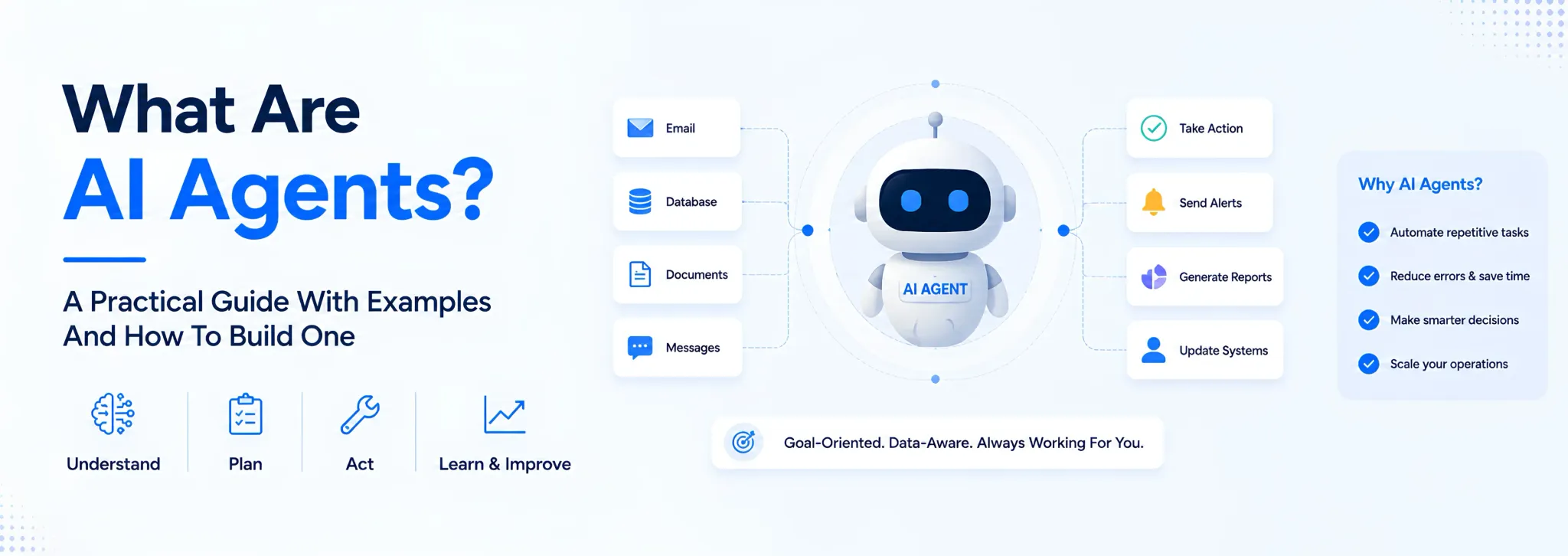
- AI agents are software systems that can plan, decide, and act on a task with little to no human input, unlike a chatbot that only answers what you type
- They run on large language models but add memory, tool access, and a goal, which is what lets them actually do something instead of just talking about it
- Businesses use AI agents for support tickets, inventory alerts, invoice follow-ups, lead qualification, and dozens of other repetitive decisions
- This guide covers what AI agents are, the 5 main types, 10 real examples by industry, and a practical way to build one even without a dev team
You’ve probably typed a question into ChatGPT and gotten a solid answer back. That’s not what we’re talking about here. An AI agent goes further. Give it a goal, connect it to your inbox or your inventory sheet, and it takes the next step on its own, checks stock, drafts the follow-up email, flags the order that’s about to run late, without you sitting there prompting it line by line.
That distinction matters more than it sounds like it should. A lot of businesses buy a chatbot expecting an employee and end up disappointed. This guide walks through what AI agents actually are, the different types, real examples across industries, and a realistic path to building one even if you don’t have an engineering team.
What Are AI Agents And How They’re Different From Chatbots
AI agents are software systems built on large language models that can perceive information, decide what to do with it, and take action toward a goal, mostly without a human directing every step.
A chatbot answers the question in front of it. An AI agent holds a goal in memory, checks tools or data sources to figure out what’s true right now, and acts on what it finds. Ask a chatbot “has the Mehta order shipped,” and it’ll tell you it doesn’t have access to that. An agentic AI system connected to your dispatch data would check, answer, and maybe even flag the delay to the right person before you asked.
Table 1: AI Agents vs. Chatbots vs. Traditional Automation
| Capability | Chatbot | Rule-Based Automation | AI Agent |
|---|---|---|---|
| Understands natural language | Yes | No | Yes |
| Follows a fixed script only | Yes | Yes | No |
| Accesses live data or tools | Rarely | Sometimes | Yes |
| Plans multiple steps toward a goal | No | No | Yes |
| Adjusts when a step fails | No | No | Usually |
The gap between “answers questions” and “gets things done” is exactly what pushes teams toward workflow automation built on agents instead of static scripts.
Why This Matters For Indian Businesses Right Now
A 2026 industry report found that 72% of companies now use AI in at least one business function.
For a factory floor or a retail chain still running on WhatsApp groups and Excel sheets, that stat isn’t abstract. It means competitors are already automating the parts of the business that used to eat up a manager’s morning.
- AI agents aren’t limited to tech companies. Manufacturing, retail, healthcare, and education are all active adopters.
- Most early adoption starts small: one repetitive task, not a company-wide overhaul.
- The barrier used to be cost and technical skill. No-code tools and ready-made AI agent platforms have brought that down significantly.
- Business automation built on agents tends to pay for itself in reduced manual follow-up, not in headcount cuts.
- The businesses seeing results treat this as a workflow fix first, and a technology purchase second.
That last point is the one most vendors skip.
The 5 Types Of AI Agents Every Business Should Know
Not every AI agent works the same way. Knowing the type tells you what it’s actually capable of before you buy or build one.
Simple reflex agents react to a fixed condition and nothing else. If stock drops below 10 units, send a reorder alert. No memory, no planning, just a rule firing.
Model-based reflex agents keep a running picture of their environment. A delivery-tracking agent that remembers which stops it already covered and adjusts the route around traffic falls here.
Goal-based agents plan a sequence of actions to reach an outcome you define. Tell it “get this invoice paid within 7 days” and it works out the reminders and escalations on its own.
Utility-based agents go one step further and weigh trade-offs, picking the path that gets the best outcome, not just any outcome that technically works. A logistics agent balancing delivery cost against delivery speed is a utility-based agent.
Learning agents improve over time from feedback. A support agent that gets better at routing tickets the more tickets it handles is a learning agent.
Most business tools you’ll encounter blend goal-based planning with some learning built in. The label matters less than the question underneath it: what decision is this agent actually allowed to make on its own?
How AI Agents Actually Work Behind The Scenes
Strip away the jargon and every AI agent runs through the same three-part loop: perceive, plan, act.
Perceiving The Situation
The agent pulls in whatever information it needs, an inbox, a spreadsheet, an API, a customer message, and turns it into something the underlying model can reason about.
Planning The Next Step
Using large language models as the reasoning core, the agent breaks the goal into smaller steps. This is where tool calling comes in: the agent decides which system to check or which action to trigger next, rather than following a fixed script.
Acting And Adjusting
The agent executes the step, checks the result, and adjusts if something didn’t work. A learning-capable agent stores what happened so the next decision is better informed.
This loop is why multi-agent systems are becoming common in more complex workflows. One agent handles intake, another handles verification, a third handles the final action, each one narrow and reliable rather than one system trying to do everything.
10 AI Agents Examples Across Manufacturing, Retail, Healthcare And More
Definitions only go so far. Here’s what AI agents examples actually look like inside a working business.
Table 2: 10 AI Agents Examples By Industry
| Industry | What The Agent Does |
|---|---|
| Manufacturing | Flags a job card that’s falling behind schedule before the shift ends |
| Retail | Sends a low-stock alert and drafts a reorder for approval |
| Healthcare | Schedules follow-ups based on a patient’s treatment plan |
| Education | Answers routine admission queries and routes complex ones to staff |
| Logistics | Reroutes a delivery when a stop is delayed and notifies the customer |
| D2C / Ecommerce | Generates product image variants for a new listing |
| Hospitality | Coordinates housekeeping schedules against check-in and check-out times |
| Finance | Chases an overdue invoice with escalating reminders |
| HR / Recruitment | Screens applications against a role’s must-have criteria |
| Agencies | Tracks a client project’s status and flags what’s overdue |
None of these need a data science team behind them. Most are a single, well-scoped agent solving one recurring headache.
AI Agent Platform Or Custom Build: Which One Fits Your Business
This is the decision most businesses get stuck on. An AI agent platform, a ready-made tool you configure, gets you moving fast. A custom build fits your exact process, but takes longer.
Table 3: AI Agent Platform vs. Custom-Built Agent
| Factor | Ready-Made AI Agent Platform | Custom-Built Agent |
|---|---|---|
| Time to first use | Days | 2-3 weeks for an MVP |
| Fits your exact workflow | Approximately, with workarounds | Built around how you actually work |
| Ongoing cost | Per-seat SaaS pricing that scales with users | Monthly partnership, scales with scope |
| Data ownership | Often shared with the platform vendor | Yours |
| Best for | Testing a single, generic use case fast | A process specific enough that a generic tool bends it, not the other way around |
If your process is genuinely unusual, job cards that move through 6 approval stages, a client portal with 3 different pricing tiers, an off-the-shelf AI agent will fight you the whole way. That’s usually where a custom software partner makes more sense than another subscription.
How To Build An AI Agent Without A Development Team
You don’t need to write a line of code to get your first AI agent live. Here’s how to think about it.
- Pick one process, not a department. Start with a single repetitive decision: chasing overdue payments, flagging low stock, answering the same 10 customer questions.
- Map the current steps by hand. Write down exactly what a person does today, in order. The agent’s plan is built from this, not the other way around.
- Choose the right starting point. A no-code AI agent platform if the task is generic and you want it live this week. A build partner if the process is specific to how you operate.
- Connect it to real data. The agent is only as useful as what it can see: your inventory sheet, your CRM, your ticketing tool.
- Run it alongside a human for the first 2 weeks. Check its decisions before it acts unsupervised. This is where most of the trust gets built or lost.
How to build an AI agent that actually sticks isn’t a technical question first. It’s a process question. Get the workflow right on paper, and the technical build gets a lot simpler.
Common Mistakes Businesses Make When Adopting AI Agents
A handful of mistakes show up again and again once a business decides to bring in AI agents.
- Automating a broken process instead of fixing it first, which just makes the mistake happen faster
- Skipping the human-in-the-loop period and letting the agent act unsupervised from day one
- Picking a generic AI agent platform for a process specific enough that it never quite fits
- Not tracking what the agent actually decided, which makes it impossible to catch errors early
- Treating this as a one-time project instead of something that needs monthly tuning as the business changes
Most of these come down to one thing: rushing past the mapping step to get to the exciting part.
If you’ve read this far, you’re probably past “is this real” and into “would this actually work for us.” That’s the conversation we have with clients every week.
We build custom AI agents as part of our AI Platform 360 tier, wired into your actual workflow instead of a generic template, alongside the CRM, dashboards, and automation that already run your business. For a manufacturer, that might mean an agent that watches job cards and flags delays before they hit dispatch. For a healthcare provider, it might mean one that manages follow-up scheduling without a front-desk bottleneck.
We don’t start with the agent. We start by mapping how your team actually works, then build what fits.
AI agents aren’t a single product you buy off a shelf. They’re a spectrum, from a simple reflex rule to a learning system that improves on its own, and the right one depends entirely on the decision you’re trying to hand off.
Start with one process, not your whole operation. Map it before you automate it. And be honest early about whether a ready-made tool fits, or whether your workflow is specific enough that it needs to be built around you instead.